A desktop studio for writing a novel, from first draft to print PDF.

Free and open source for Windows, macOS, and Linux, with no account to create.

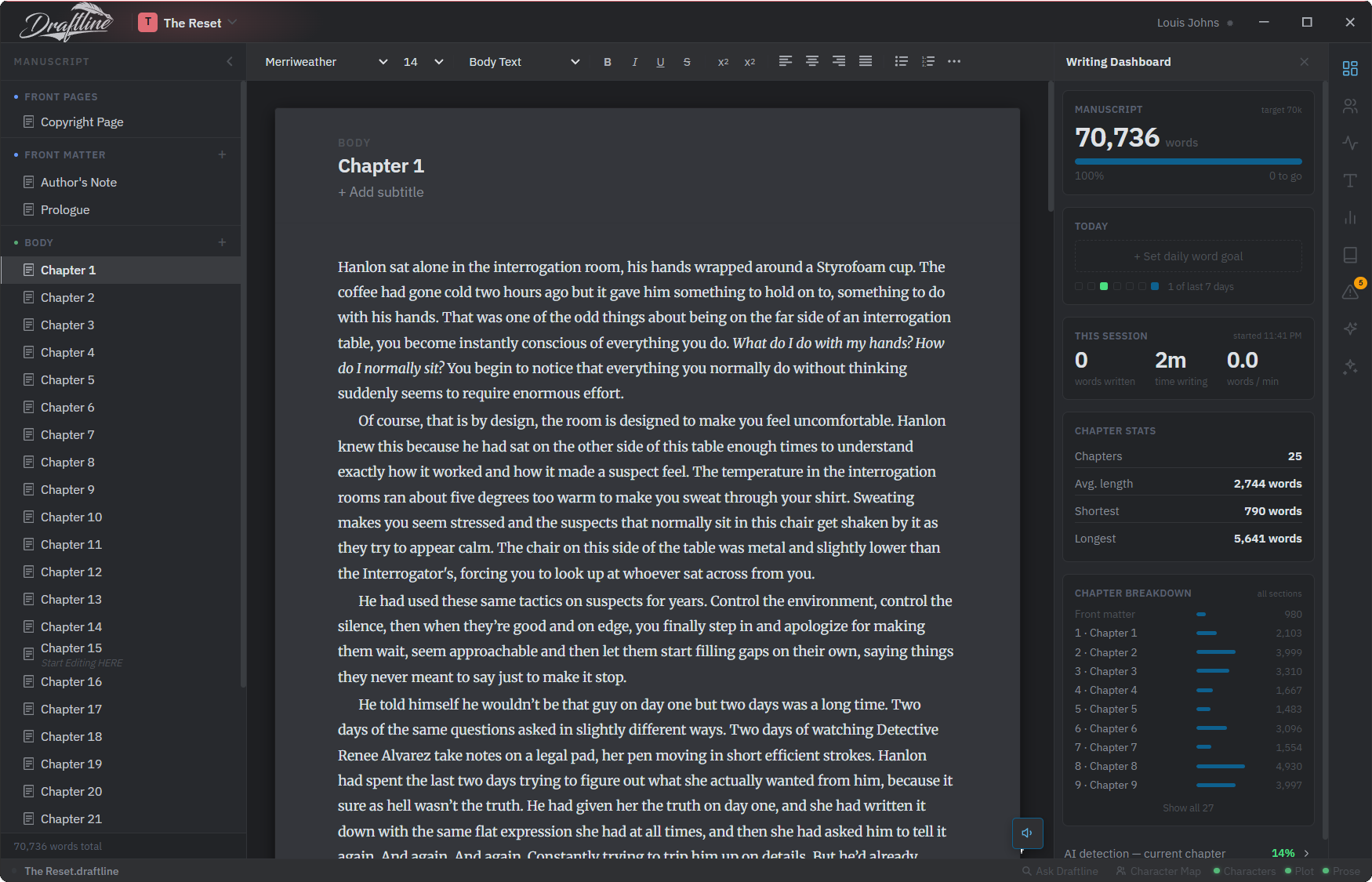
The Draftline editor: manuscript panel, floating page, and Writing Dashboard

What Draftline does.

Draftline is free, open-source novel writing software, built as a desktop studio for the whole job from the first draft to the print PDF. A novel is a set of chapters in three sections, a cast that has to stay consistent across all of them, and a manuscript that eventually has to leave as an EPUB or a print PDF, and each tool below works on the whole book rather than on the page in front of you. If you are here looking for a free alternative to Scrivener, Atticus, or Reedsy that works offline, the comparison covers the differences.

The page
The page looks like the book from the first sentence, indents, a ruled chapter heading, the ⁂ between scenes, so you never have to imagine how the draft will read in print. Front matter, body, and back matter sit in the manuscript panel, and chapters drag between them.
Characters Codex
Somewhere past a dozen names, remembering who was in which chapter becomes a job of its own, so we gave that job to Draftline. It reads the manuscript and builds the cast for you, who appears where, who shares scenes with whom, and when each of them first walked in.
Read Aloud
Reading a chapter aloud is the oldest editing trick there is, and nobody does it because it takes an hour. So Draftline reads it to you, in a voice that lives on your own machine, underlining each sentence as it goes. Turn on cast mode and every character gets a voice of their own.
Writing toolbars
The panels down the right keep score while you write: today against your goal, how fast the session is moving, how each chapter reads. We put a continuity review along the bottom as well, because by chapter nineteen nobody can still see the grey eyes they gave someone in chapter four.
Spelling and grammar
Word processors have checked grammar for thirty years and most manuscript editors still don't, so we built it in. Spelling, grammar, and usage are checked as you type, on your own machine, and once you confirm a character's name it stops being flagged as a typo.
Import and export
Your book is one file on your disk. Back it up, sync it, open it ten years from now. Bring a manuscript in from EPUB or DOCX, and when it is finished send it out as an EPUB for the storefronts, a DOCX for your editor, or a print-ready PDF with bleed and crop marks.
See the full feature breakdown →Plan it first on the board →

Light and dark theme.

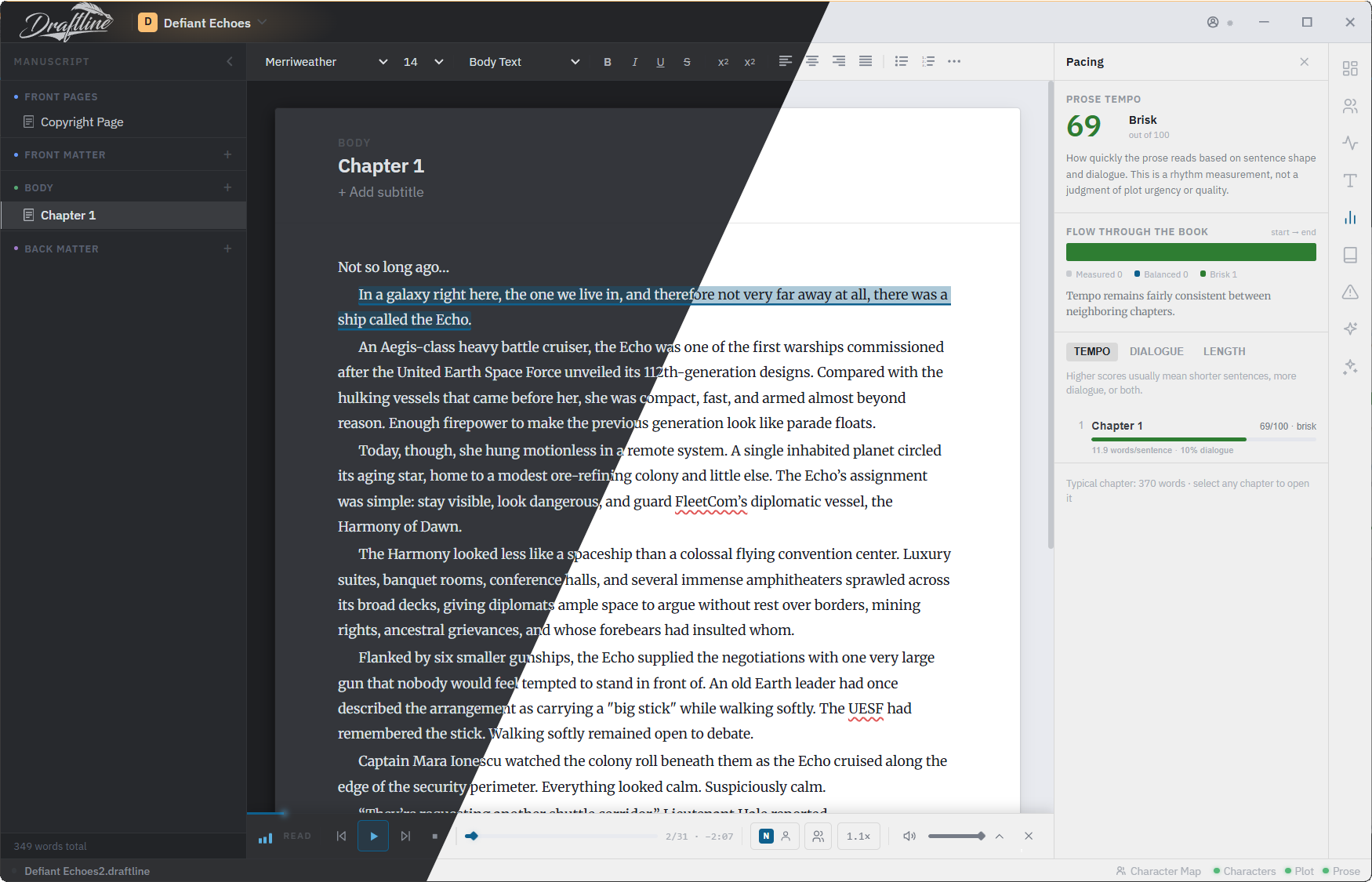
Draftline has a light studio and a dark one, and on the automatic setting it works out sunrise and sunset from your computer's time zone and crossfades between them as the light outside changes. If you would rather choose, you fix it to light or dark and the clock is ignored.
Light and dark theme →

The Draftline editor split diagonally between its dark theme and its light theme, showing the same chapter in both

Import.

If the book already exists as an EPUB or a DOCX, you import it and Draftline rebuilds the chapters, the front and back matter, and the scene breaks on the way in. The same three formats come back out when you export.

Files, import and export →

EPUBfrom any published or exported book
DOCXfrom Word, Google Docs, Scrivener…
The Quiet Orbit.draftline chapters, front matter & scene breaks intact

Local first.

Your manuscript is one file on your own disk, and you can save it in any folder your cloud already syncs. The app has no telemetry and nothing in it phones home.

How the file works →

The Quiet Orbit.draftline
On your disk
Words70,733
Chapters25
Last savedToday at 3:41 PM
Synced via~/Dropbox/Books
Sent to us0 bytes

Open source.

Draftline is MIT-licensed and developed in the open, and the version you download is the whole product, with no locked tier and no trial period. The author explains why on the next page.

Read the source on GitHub Why Draftline exists →
An optional plugin for editing prose you already wrote.
The editor contains no AI. The AI Studio is a separate plugin, disabled on a fresh install, and until you connect a provider of your own it cannot send anything anywhere. Once you switch it on, it runs line and copy edits over a passage you select and shows each change as a diff you accept or reject.
About the AI Studio
⁂

Write the book.

Download Draftline, open a blank page, and start. There is nothing else to set up.

No account. No trial. No email address.