Set the edition up once. Export it forever.
Most prose editors hand you a dialog full of defaults every time you export, and every time, you guess at them again. Draftline asks you to describe the book instead. A first edition with a paperback and an ebook, its cover art, its ISBNs, its trim size and its typesetting, kept in the project — so exporting stops being a decision and becomes a button.
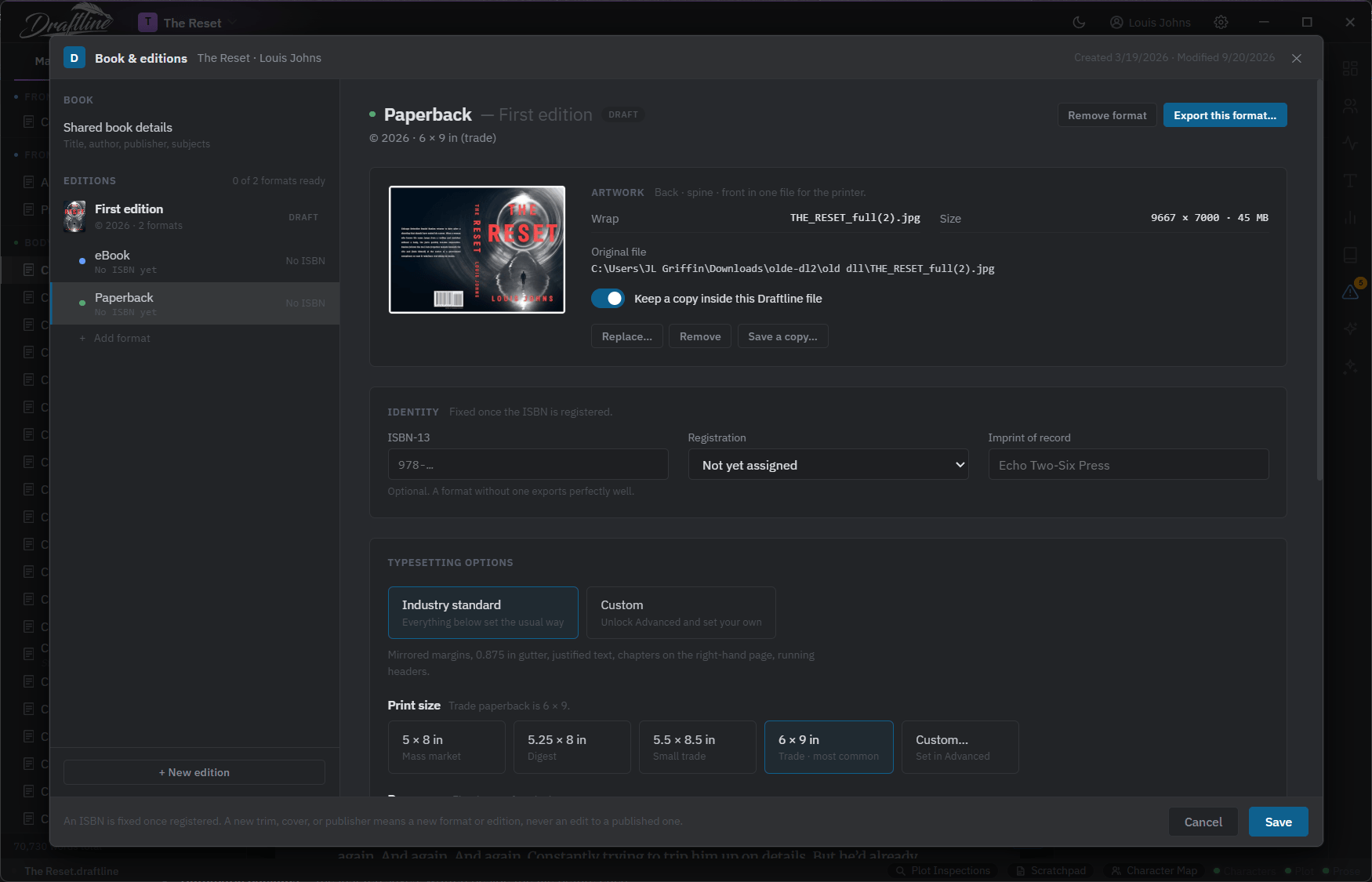
One edition, two formats. The paperback carries its own cover wrap, its own ISBN, and its own typesetting; the ebook carries its own.
A book is not one file.
A published novel is a paperback with a trim size and a spine, an ebook that reflows on a phone, sometimes a hardcover, sometimes a large print run for libraries — and each of those has its own ISBN, its own cover, and its own typesetting. An edition in Draftline holds all of that: the year, the imprint of record, and a format for every version you intend to publish. Add a format and it starts from the industry-standard settings for that kind of book. Change one and you have changed it for every export of that edition from now on.
An ISBN is fixed once it is registered. A new trim, cover, or publisher is a new format or a new edition, never an edit to a published one.
Your cover lives in the book.
Drop the full wrap your designer sent into each of the formats. Draftline can keep a copy inside the project file, so the artwork travels with the book rather than living somewhere on another computer or in a disorganized downloads folder. When you export, the print-ready artwork gets bundled with each edition's print ready PDF in one organized zip archive for your print or publishing provider.
The four-step export wizard.
Exporting, in print ready formats, made easy.
An edition, or a copy that is tied to nothing.
Pick the edition and every file it is registered for comes with it. Or step outside the editions entirely: a quick reading copy for beta readers, which takes the current draft as it stands, or an export built from scratch in any mix of formats with every option yours to set.
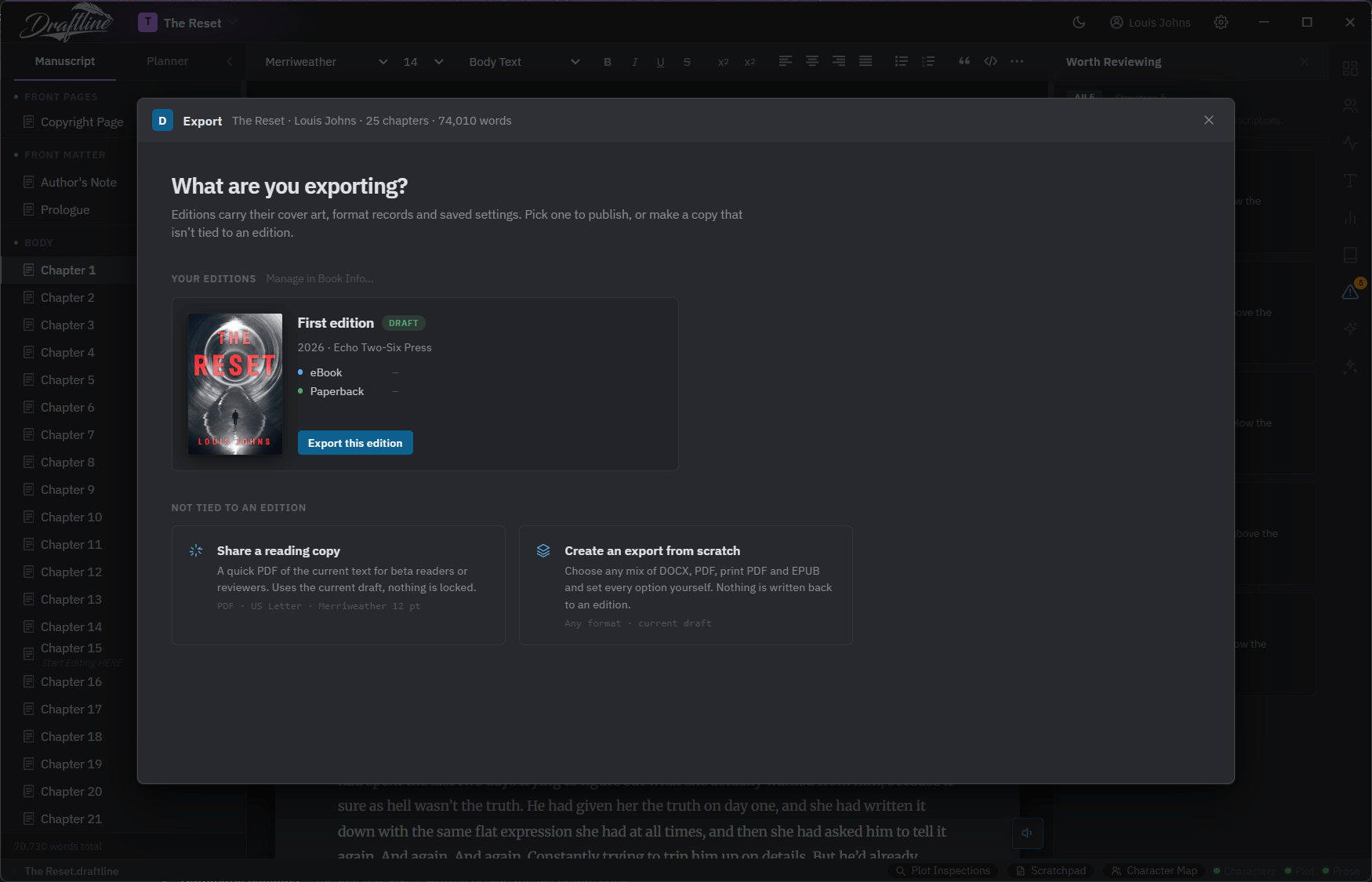
The reading copy is deliberately dull: a PDF of the current text, nothing locked, nothing to decide.
Prefilled from the edition. Yours to overrule.
Every format registered on the edition arrives checked, each with the template you saved on it. The next step allows you one last look over the typesetting preferences for each selected format — trim size, bleed, gutter and outer margins, mirrored margins, crop marks, body typeface, type size, line spacing, alignment — prefilled and ready to go.
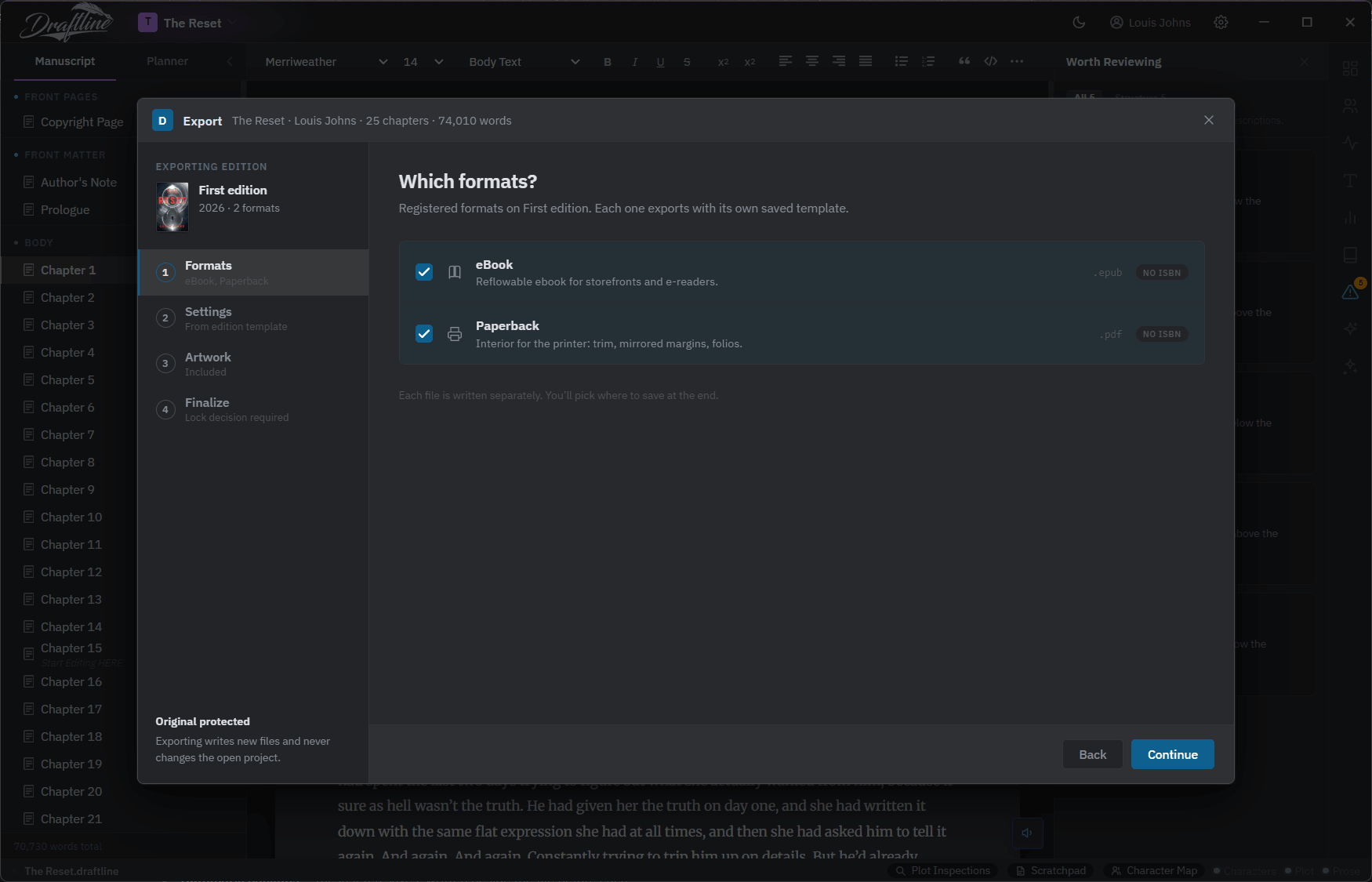
Each file is written separately, and you choose where they land at the end.
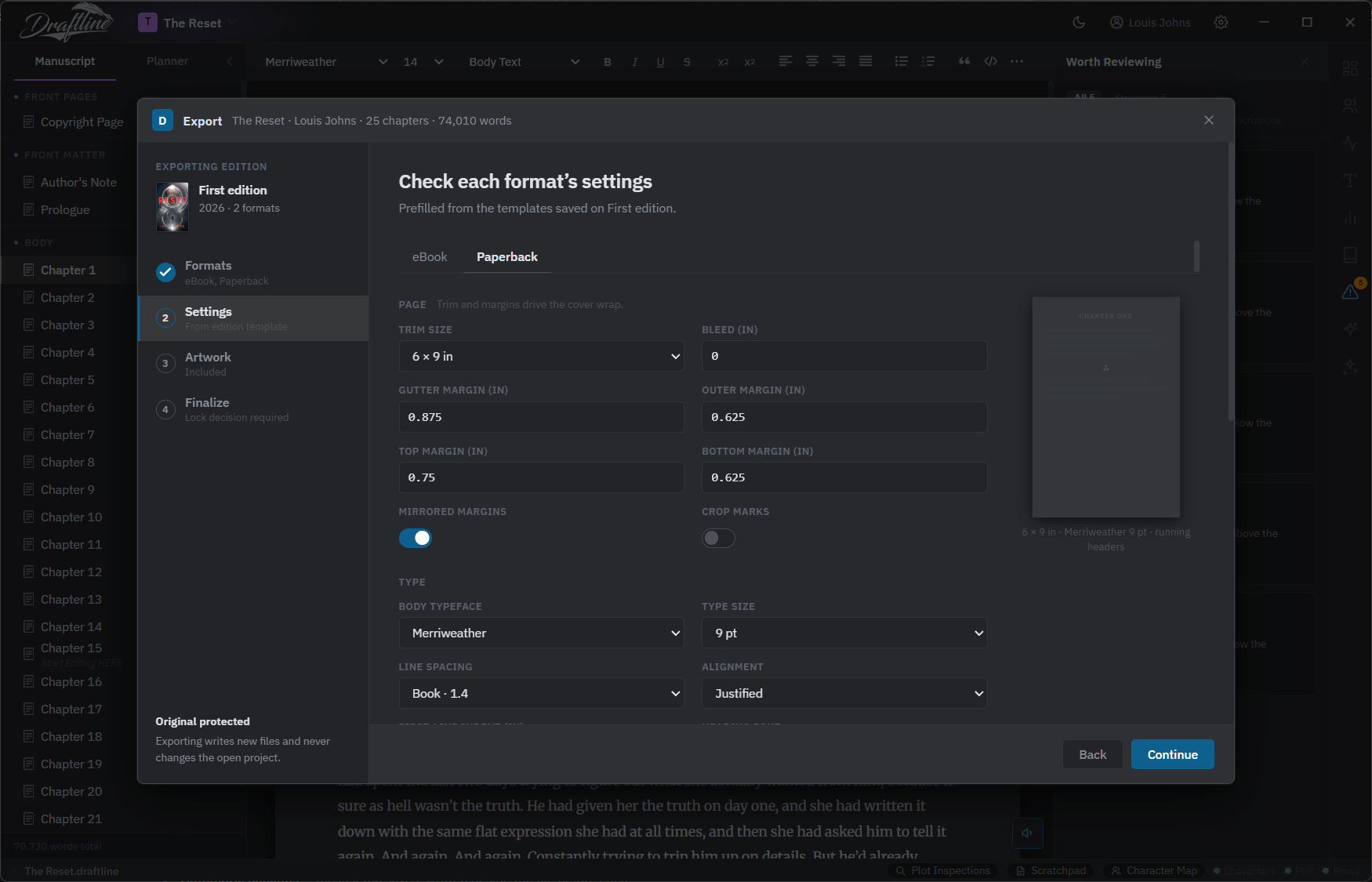
Mirrored margins, 0.875 inches in the gutter, justified text, chapters on the right-hand page, running headers — the usual way, set for you.
The right cover file goes with the right format.
Cover artwork files are optionally written next to each format. The screen shows you which file each one is about to use and where it came from — the edition, or this format's own — with its pixel dimensions and colour space, Or choose interior only and keep the covers to yourself.
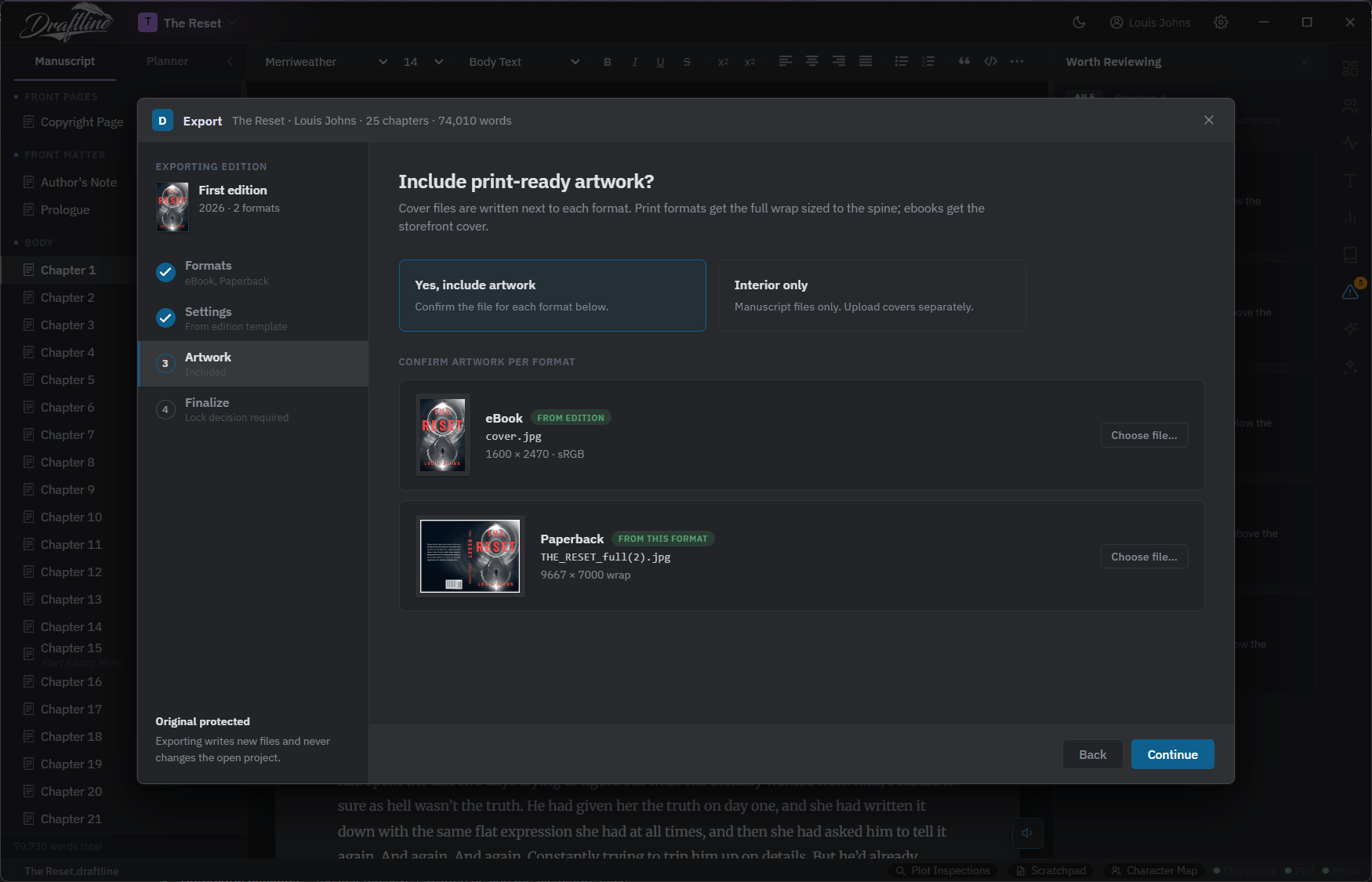
One cover inherited from the edition, one set on the format itself — both confirmed before anything is written.
Is this the final text for this edition?
This is the part worth the page. Locking freezes a snapshot of today's manuscript onto the edition. Every future export of that edition uses that snapshot — so when the second edition is four rewrites and a new act two later, re-exporting the first edition still produces exactly what it produced on the day you sent it to the printer. Your later edits go to the working draft, not to the published book. Say no and the export takes the text as it stands right now, with nothing frozen.
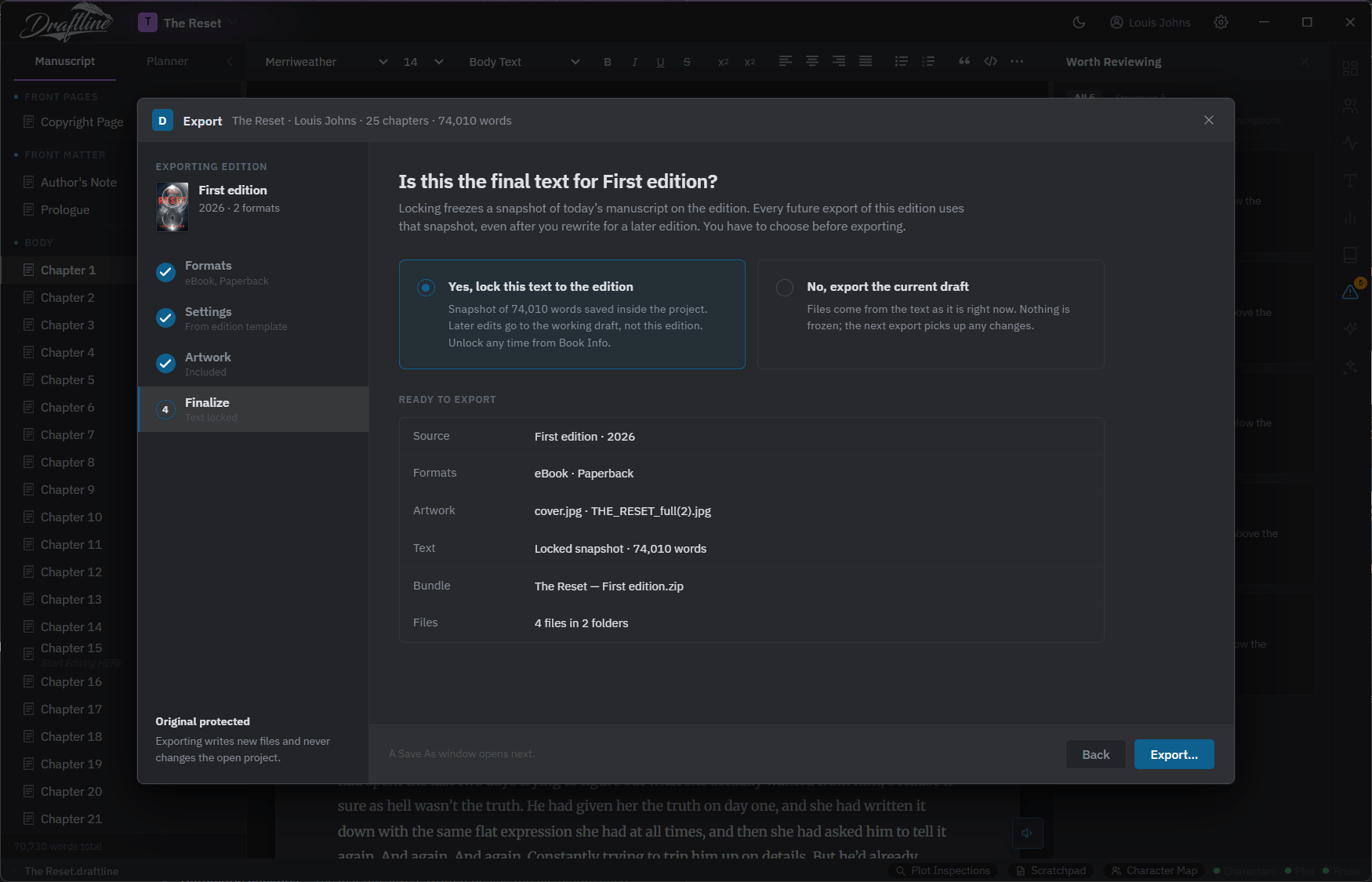
A file you can send.
One zip bundle per export, named for the edition, with the files sorted into folders by format. Nothing to rename, nothing to hunt for, nothing left behind.