Plan the book beside the book.
The Planner is the second half of the window, one click from the manuscript. Story lines run down the side and cards sit on them: what happens, where, and when. You can look at those cards as a board, as a timeline across the chapters, or as a synopsis of the whole book — and none of it lives in a separate app you have to remember to open.
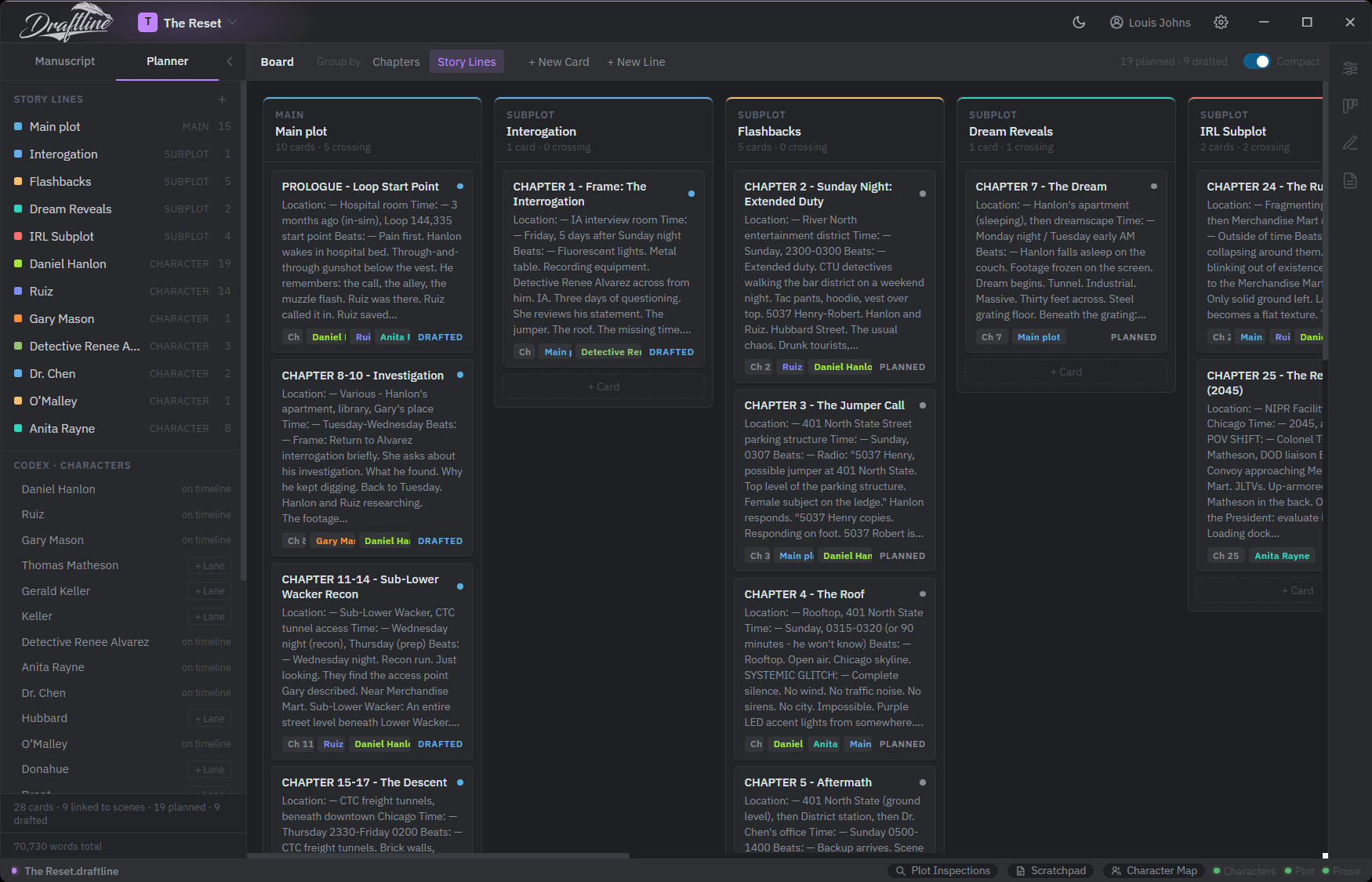
The board, grouped by story line. Each column is a line; each card carries its location, its time, its beats, the chapter it belongs to, and whether it is still planned or already drafted.
A card is a scene you have not written yet.
An index card on a corkboard holds about as much as you can think about at once, which is why writers have used them for a century. A Draftline card holds the same: a title, where the scene happens, when it happens, and the beats you already know. It carries the chapter it belongs to and the lines it touches, and it is marked planned or drafted so the counts at the top of the board tell you how much of the plan is still ahead of you.
Cards live in the planner. Nothing you write on one can reach into the manuscript and change a word of it.
Columns for the plot, the subplots, and the people.
A column is a thread you are following through the book. Think of these as Plot Lines. The main plot is one. Every subplot is one. So is each character you want to keep an eye on, and a character in the codex can be given a lane of their own whenever you decide they need watching. The board can also be grouped by chapters instead of lines when you would rather see the book in order inside the card view.
Where a subplot goes quiet, you can see it.
The timeline lays the same cards out as a grid: your story lines down the side, your real chapters across the top. Cards can be linked to multiple plotlines so you can see how your story connects characters and plot arcs.
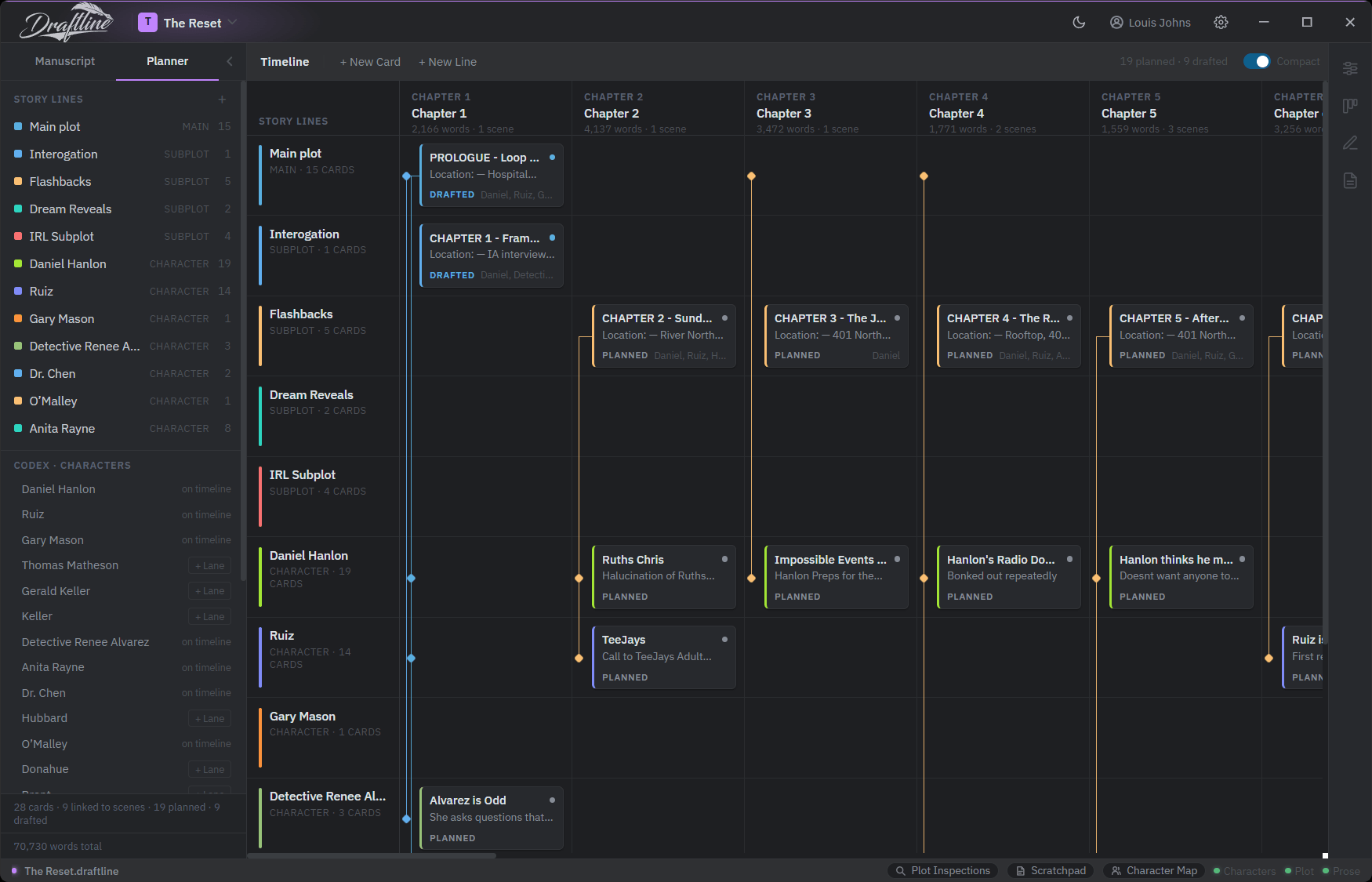
Chapters across the top carry their own word and scene counts, so the plan and the manuscript are read side by side rather than from memory.
The synopsis an agent asks for, assembled from your cards.
Every card already says what happens in it. The synopsis view joins those sentences chapter by chapter, in timeline order, and gives you the whole book as prose you can read in one sitting. Chapters with no cards are left blank rather than filled in with a guess, so the gaps in the page are the gaps in the plan. Copy it as text, save it as Markdown, or drop it into a scratch note and edit it there.
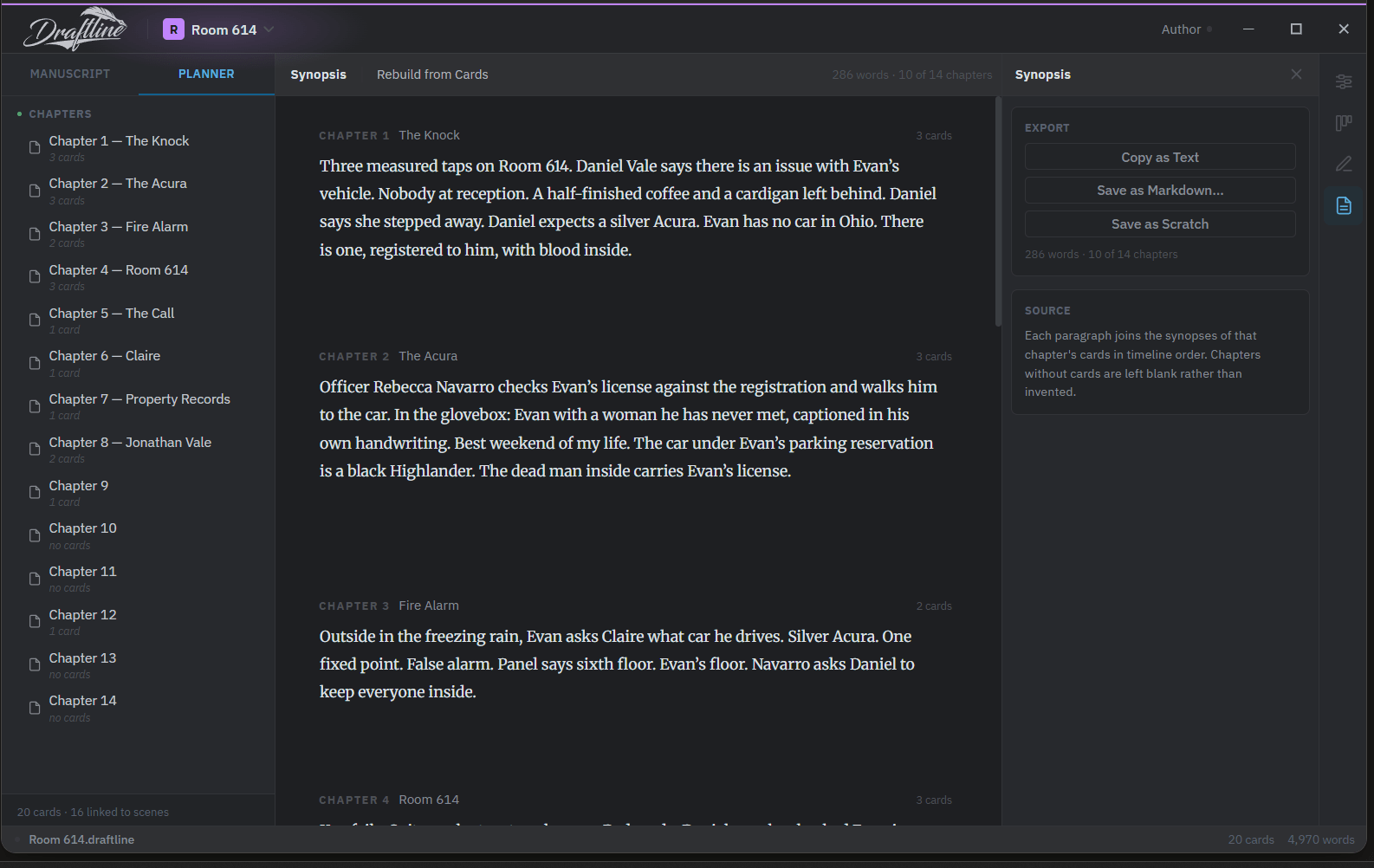
Ten of fourteen chapters have cards here, and the other four are simply absent from the page — which is its own answer about where the plan stops.
Bring the outline you already wrote.
Most books start somewhere else — a text file, a note on a phone, five thousand words of numbered beats written before you had any software at all. Paste that into the scratchpad and the planner can build the cards from it, so the outline arrives on the board instead of being retyped onto it. The notes stay afterwards as notes: an ideas pile, the imported outline to check yourself against, and a place where cards you throw off the timeline are kept in case you were wrong.
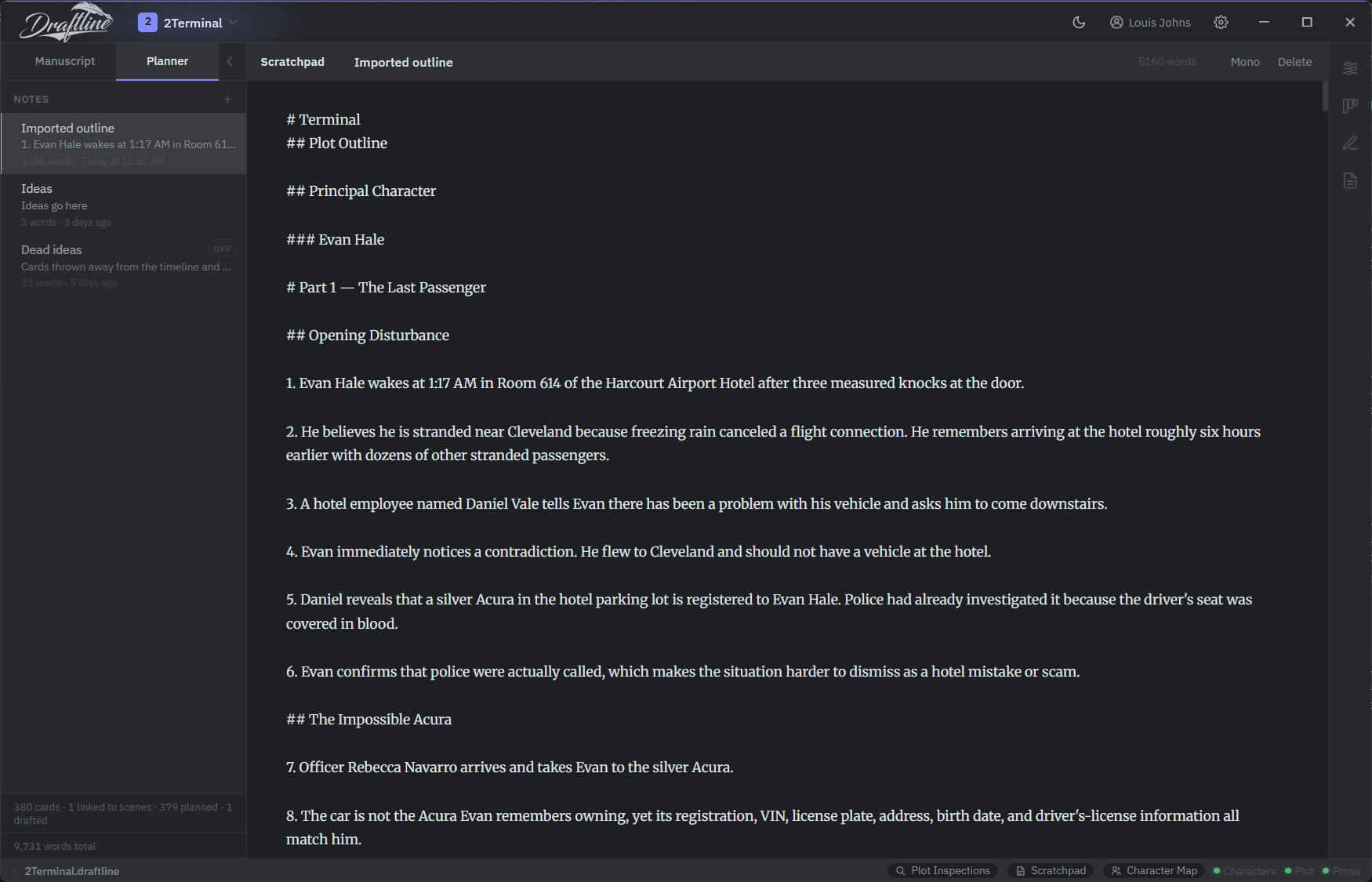
Notes are plain Markdown and can be read in a monospaced face when you are working through a numbered outline.
Your outline, without leaving the page.
You are eleven hundred words into a chapter and you need to check what you decided about the car. Leaving the manuscript to find out is how twenty minutes disappear. The scratchpad opens as a panel under the page instead, holding the same notes the planner holds, so you read the line you needed and go back to the sentence you were in the middle of. If it turns out you need the whole board after all, one button takes you there.
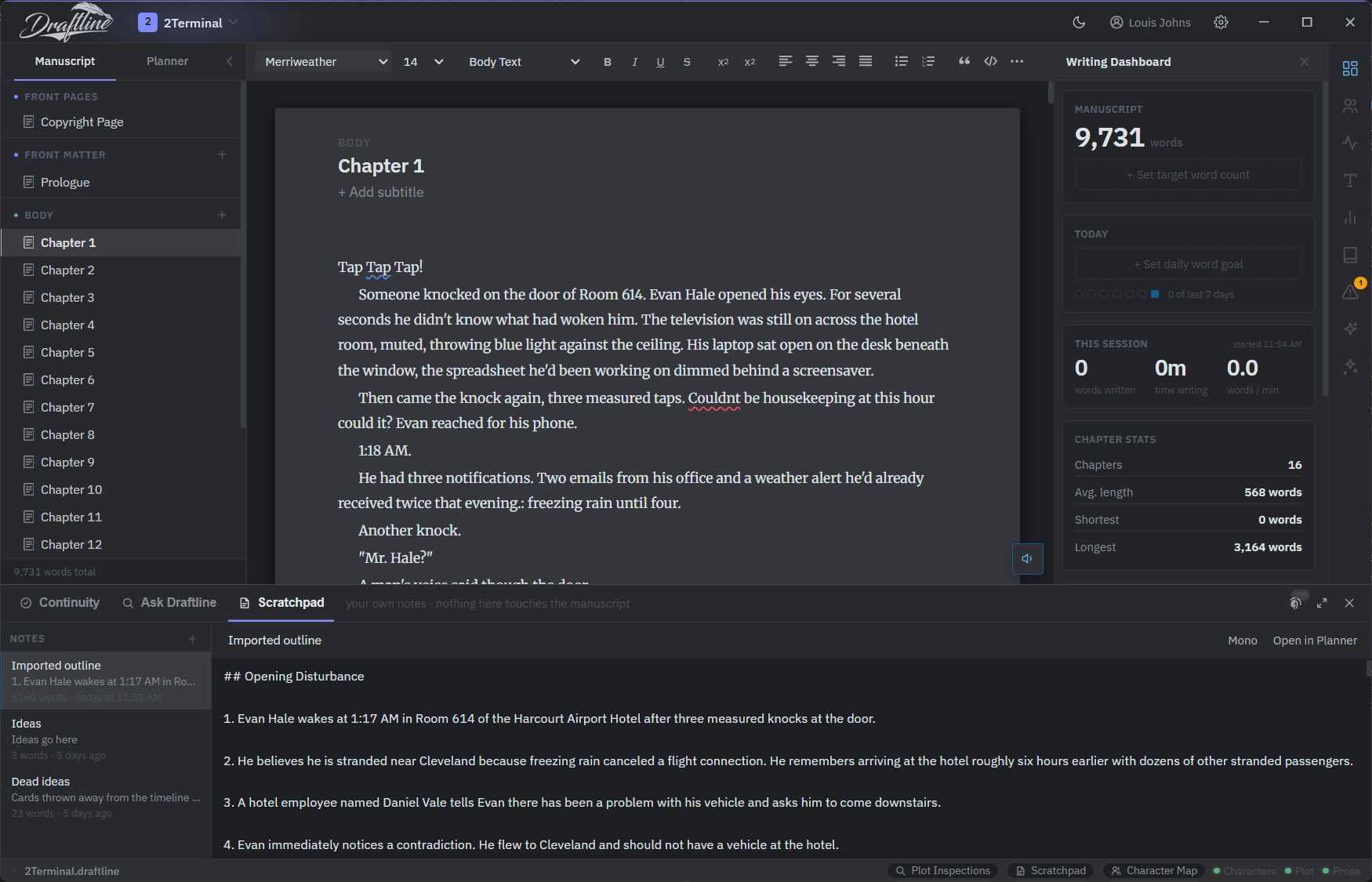
The panel says so itself: your own notes, and nothing in here touches the manuscript.